
What we provide
Managed Microsoft 365 services that keep you secure and get more from every license.
From security and licensing to a safe Copilot rollout, plus migrations and support behind it all, we manage the Microsoft 365 environment your team works in every day, so it stays protected, cost-efficient, and running the way it should.

Microsoft 365 Security
Turn on the protection you're already paying for.
Turn your real security posture into what your cyber insurance already assumes it is.
- Switch on the Defender and protection features sitting unused in your license
- Safe configuration and device policies roll out automatically
- Stays compliant and audit-ready without anyone babysitting it
License Optimization & Renewals
Pay only for the licenses you actually use.
Never get caught out by a renewal, and never pay for seats sitting idle.
- Flag the seats and subscriptions you're wasting money on
- Turn on the features you already own but aren't using
- We manage renewals so nothing lapses or auto-bloats
Microsoft Copilot Readiness
Everyone wants Copilot. Few turn it on safely.
Turn it on before your data's in order and it'll surface anything a user can reach, salaries, contracts, HR files. We clean up first.
- Check licensing and readiness before Copilot touches your data
- Tighten file and folder permissions so it only surfaces what each person should see
- Label and guard sensitive data before rollout
- Pilot first, prove it's safe, then train your whole team

Managed Microsoft 365 Support
Support that actually learns your setup, so we stop repeat problems, not just symptoms.
- We map your environment up front, not mid-crisis
- Live data and reporting on hand when issues hit
- Fewer repeat tickets, we fix the cause
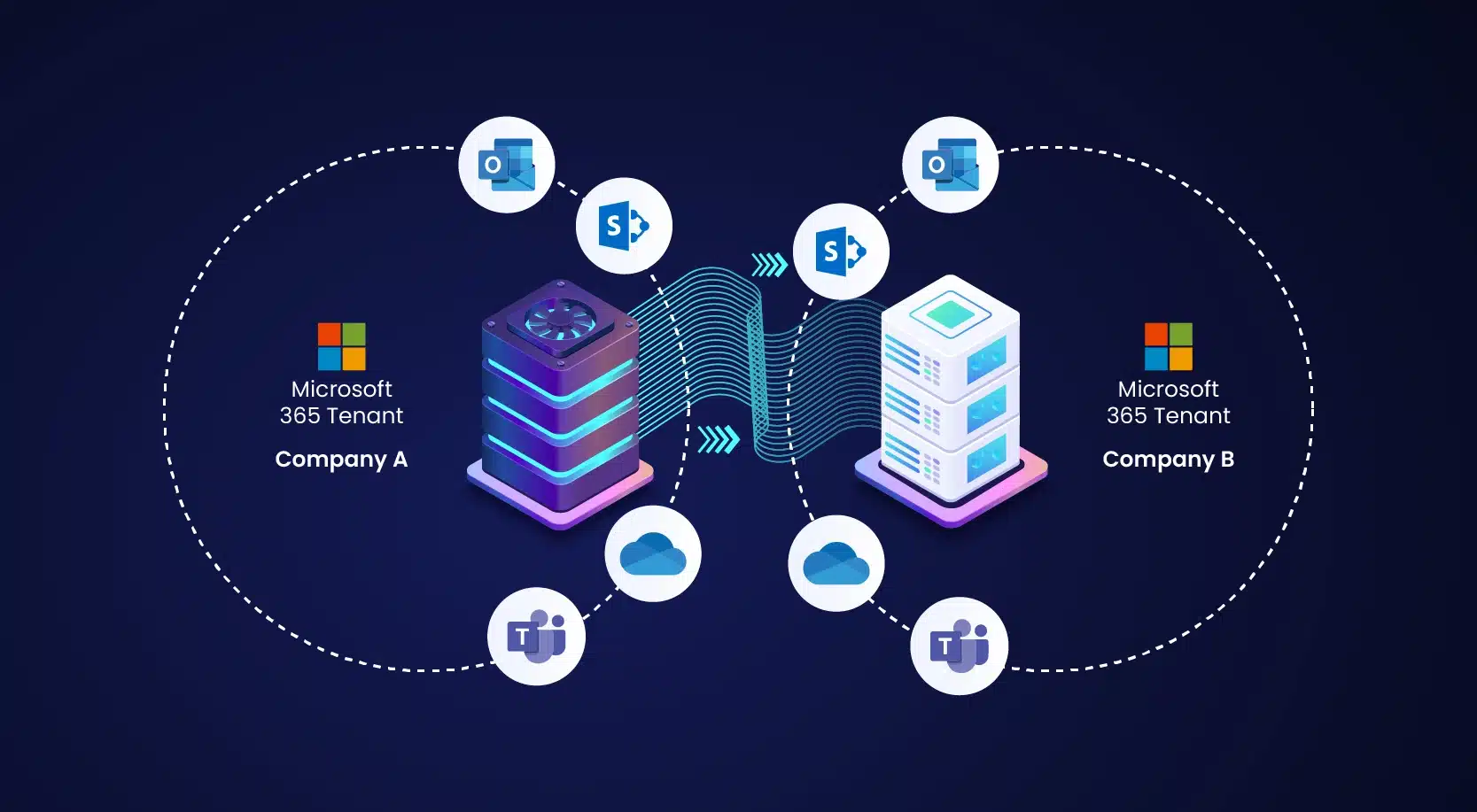
Tenant Migrations
Moving into Microsoft 365 or merging two tenants, set up right the first time.
- New setups and tenant-to-tenant merges
- Built for how your team works, not the old mess
- Clean cutover with mail, files, and identity intact
What We Handle
Government Level Microsoft 365, Done for You
If you work with the government, your Microsoft 365 has to follow strict rules. We handle all of it, the setup, logins, security, moving your data over, and the daily upkeep, so you stay compliant without it turning into a second job.
Government grade protection that still feels normal to use.
Built for government agencies and regulated businesses that have to meet federal rules, while keeping the everyday experience close to the regular version of Microsoft 365 your team already knows.
- Get your account set up with safe starting settings
- Rules to protect and manage your sensitive data
- Control who can log in and what they can reach
- A plan to move from regular Microsoft 365 to GCC
The highest level of protection for defense work.
Built for organizations handling controlled or defense related data, the kind that has to stay on U.S. soil and be supported only by screened U.S. staff. This is for teams that have to meet the strictest government contract rules.
- Get your account set up with safe starting settings
- Control who can log in and what they can reach
- A plan to move from regular Microsoft 365 or GCC
- Ongoing upkeep so you stay compliant over time
Special Projects
Big IT projects, handled start to finish.
The projects that fall outside your normal routine are the ones most likely to stall out, get pushed aside, or throw off everyone's regular work. We bring the plan, the tracking, and the follow through to get them done, without wrecking everything else in the process.
 SharePoint Moves
Turn scattered files into one organized place everyone can search.
SharePoint Moves
Turn scattered files into one organized place everyone can search.
We figure out what should move, what should be reorganized, and who should be able to open what once it's all in place, so your team can actually find their files afterward instead of digging around.
- Sort through your files and plan the move
- Organize everything around how your team really works
- Clean up access, ownership, and old files
- Do the move and double check it all landed right
Phone Calls in Teams
Make and take business calls in Teams, without dropping a single one.

We look at your current phone system and plan the switch so calling keeps working the way your team expects, before, during, and after the change.
- Review how your phones and calls work today
- Set up calling through Teams
- Build automated menus and call routing
- Move your numbers over and support your team through it
Email & Exchange Moves
Move your email and Exchange mailboxes to Microsoft 365 without missing a message.

Whether you're coming off on-premise Exchange, a hosted provider, or an older mail system, we plan the move around the things that usually break, mailboxes, logins, mail flow, security, and calendars, so the switch to Microsoft 365 goes smoothly and your team barely notices it happened.
- Review your current Exchange or mail setup and plan the move
- Migrate mailboxes, calendars, and contacts intact
- Set up logins, mail flow, and security so delivery keeps working
- Plan the cutover and verify everything lands after
Microsoft 365
What it's like to work with us.
Related Resources
More on Microsoft 365 from our team.

Getting Real Value From Microsoft Copilot
If your business runs on Microsoft 365, you may already be paying for one of the best AI tools available, and never switched it on. Here’s where Copilot actually saves time, why setup matters more than access, and how to get real value from what you already own.

M365 Audit: Bridging the Gap Between Spend and Security
If you cannot confidently answer foundational questions about who is using which licenses, what capabilities are redundant, and where security features remain unconfigured, your Microsoft 365 environment is not being governed—it is simply being consumed.

Your Microsoft 365 Tenant: What Are You Missing?
A properly configured Microsoft 365 environment enforces strong identity controls, limits external sharing risks, and applies governance to Teams and SharePoint. Make sure you aren’t missing anything with yours.
Frequently Asked Questions
Do I need Microsoft 365 GCC or GCC High?
GCC fits organizations meeting federal standards like FedRAMP Moderate, CJIS, or IRS 1075. GCC High is required if you handle Controlled Unclassified Information (CUI), ITAR/EAR data, or are a DoD contractor working toward CMMC Level 2. If defense contracts or CUI are in play, you almost certainly need GCC High.
What's included in a Microsoft 365 tenant assessment?
We scan your environment for security gaps, inactive or unused licenses, and misconfigured permissions. You get a clear picture of what's actually running, where the risks are, and which licensed features you're paying for but not using.
How do you reduce Microsoft 365 licensing costs?
We meter real usage across your tenant, identify unused seats, and activate capabilities already included in your licenses, like Intune, Defender, and Entra ID P1, so you stop paying for tools you never turned on.
Will a SharePoint or Exchange migration disrupt my team?
We plan around the parts that usually cause outages, like identity, DNS, mail flow, permissions, and cutover timing, so email and files keep working through the move with minimal disruption.
How do you deploy Copilot securely?
Before rollout, we review and tighten SharePoint and OneDrive permissions and apply sensitivity labels, so Copilot only surfaces data each user is actually allowed to access. Then we run a pilot and train your team.
IT should be exceptional...
not acceptable. Let's make sure yours is.
Scheduler not loading? Open Hubert's calendar in a new tab →